 tmuxifier
GitHub
Know which agent needs you.
A self-hosted command center for AI coding agents on your own machines. They run in tmux on the boxes themselves, so they keep working when you close the tab or restart tmuxifier, and one page shows which one is waiting on you.
git clone https://github.com/mmakam2/tmuxifier
- working
- needs you
- done, not yet seen
- idle
- one agent messaging another
Demo fleet. The names are placeholders.
See who needs you
Every agent session on every box reports one of four states: working, needs you, done, or idle. A permission prompt, a question or a sign-in turns a session to needs you in about a second.
The states drive the sidebar, an agents board, an event timeline, browser notifications and phone push. A session you are already attached to never notifies, and a done clears only when you have looked at it.
The hub is stopped, so nothing is being watched. The sessions are still running on their boxes. Start the hub and this board fills in from what the boxes report.
The same demo fleet as the map above, changing as it does. Hold Ctrl+Shift and tap K in the real thing to jump to any of them, with a live preview.
Close the tab.
They keep working.
Each session lives in tmux on the box it runs on, not in your browser and not in tmuxifier. Break any link between you and the box: the agent carries on, and reconnecting puts you back in the same session.
- Your browserA tab, or the Android app
- tmuxifierOne Node process on your LAN
- Your sshYour keys, your agent, your
~/.ssh/config - tmux on the boxThe session lives here
- The agentStill running
The session carries on without you.
A made-up session on a made-up box, to show where the work lives.
- The session is on the box. tmux runs there, so there is no state in the middle to lose. tmuxifier can be restarted, moved or rebuilt.
- Brief drops go unnoticed. A 45-second grace window keeps your terminal across a flaky connection, so a quick reconnect is seamless.
- Long jobs outlive the tab. Box setup, fleet commands and provisioning run as jobs on the server and carry on after you close the tab that started them.
Five agents, one board
The state comes from the agent itself, never from reading its screen. Setting up a box installs whatever each agent needs to report in.
| Agent | Reports through | Installed when | Messaging |
|---|---|---|---|
| CCClaude Code | its own hooks | you tick Claude Code in a box's setup | sends and receives |
| OCOpenCode | an agent-state plugin | you tick OpenCode in a box's setup | sends and receives, from 2.3.0 |
| CXCodex | an OSC 7501 reporter | every setup | no |
| PIpi | an OSC 7501 reporter | every setup | no |
| AGAntigravity | an OSC 7501 reporter | every setup | no |
Agents hand each other work
The agent on one box needs something only the agent on another can see. It runs tmx send. tmuxifier holds the message until the other session is idle, wakes it, and carries the answer back. Nothing is typed into a terminal.
$ tmx send billing "Which version of the payments library does billing pin, and where?"Sent. Thread t-7fq2m9cd. queued$ tmx wait t-7fq2m9cd[tmuxifier-mail m-k3v9x2ab] Message from the agent in build-02/main, thread t-7fq2m9cd.$ tmx reply t-7fq2m9cd "..."- Off until you turn it on. Each box has its own send and receive switches, and a list of the boxes it may talk to.
- Every thread is visible. The Messages drawer shows each exchange and each refused attempt, with a Stop on every thread.
- It stays on your network. Messages travel over the SSH connections tmuxifier already holds. The boxes never talk to each other directly.
- A box can start its own agent. Where you allow it, a message to a box with no agent running starts a Claude Code there.
Drive it from a browser, a phone, or another agent
- Browser
- Up to four terminals in resizable splits, each attached to a box's own tmux session. Paste an image or drop a file and it lands on the box with its path typed at the prompt. Dictate by voice; the audio is transcribed on your host and never leaves it.
- Android
- A native agent console: the fleet sorted waiting-first, each pane rendered as text, a composer for answering, and a push notification when an agent needs you. It pairs with your server by a single-use code and talks to nothing else.
- MCP
- A stdio MCP server with 19 tools lets Claude Code, or any MCP client, operate the fleet: read panes, send prompts and keys, wait for an agent to finish, run fleet commands, provision guests.
claude mcp add tmuxifier -- node /path/to/tmuxifier/src/mcp/index.js
And it runs the boxes they live on
From the first SSH connection to a new container on your Proxmox cluster, the boxes are managed from the same page as the agents.
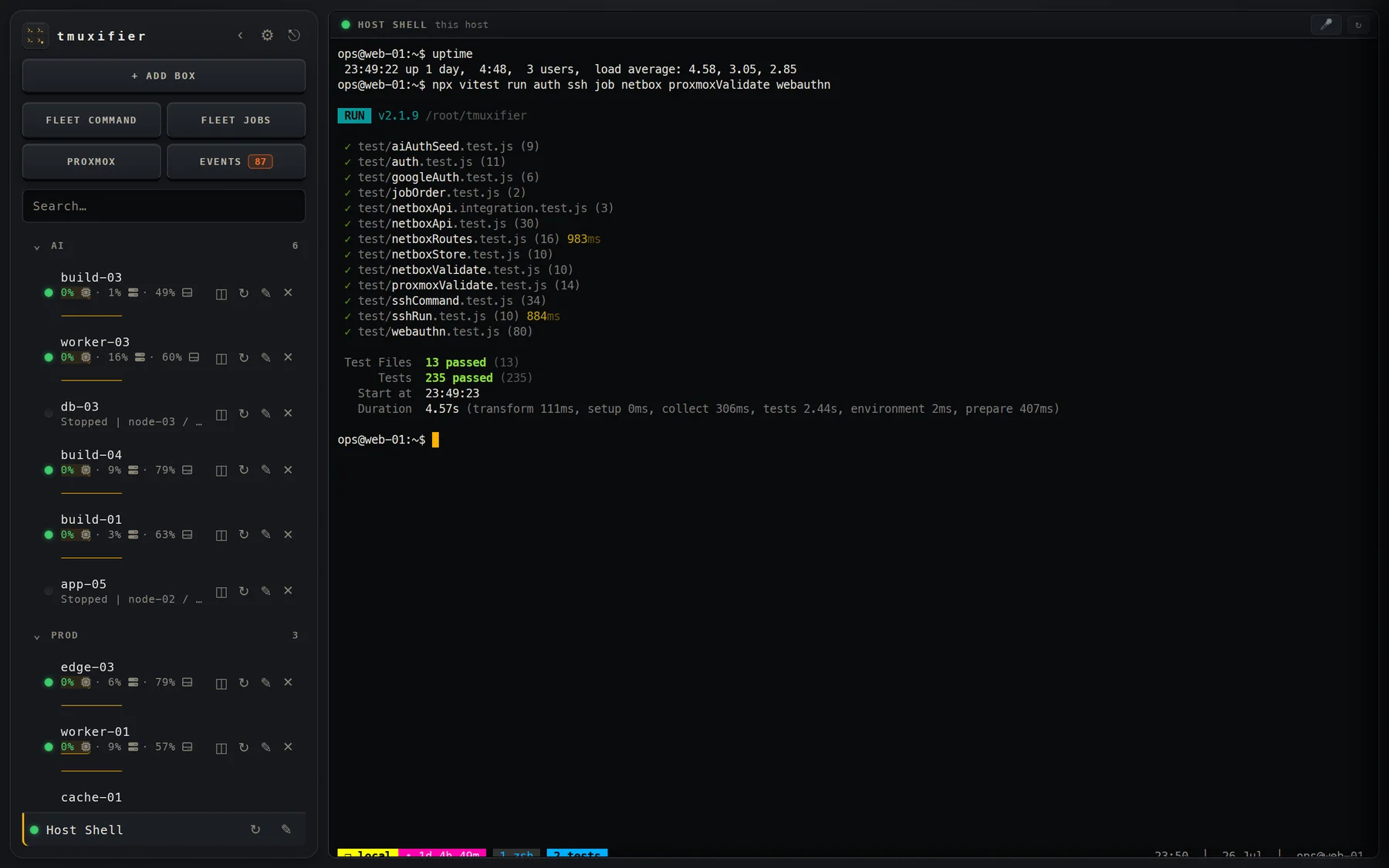
Screenshots from v1.19 in the Bench Instrument theme, against a demo fleet.
- Setup jobs. Adding a box installs tmux, your shell framework, Node and the agent CLIs as a server-side job that survives the tab that started it.
- Fleet Command. One command or saved script across any selection of boxes, kept as a job with a result per box.
- Health. Reachability, CPU, memory and disk over one shared SSH connection per box, so probing never trips fail2ban.
- Proxmox and NetBox. Provision LXC containers from presets with the next free address from NetBox; power, re-address and deprovision guests.
- Standby dashboard. Service tiles for your homelab, with live Pi-hole, TrueNAS, UniFi and Immich cards.
- Three themes. Vercel, Bench Instrument and Original, saved on your host so every browser follows.
A new box from one form
With a Proxmox host connected, a new box is a preset and a hostname. tmuxifier gives it an address, has Proxmox build the container, sets it up over SSH and adds it to the fleet.
- dev-small
- dev-large
- ci-runner
debian-12-standard_12.7-1_amd64 · 2c / 4 GiB · disk 16 GiB · vlan 30 · IP auto (NetBox)
next IP: 10.20.30.14 (from 10.20.30.0/24, non-binding)
Pick a preset
A preset is a saved blueprint: template, cores, memory, disk, storage and network. This one is set to auto-static, so it names a VLAN and leaves the address to NetBox.
Name it and choose its setup
The hostname becomes the box's name, and one already in use is refused before anything is created. The checklist is the one every box gets: a shell framework, tools and agent CLIs, with tmux installed either way.
NetBox hands out the address
tmuxifier asks NetBox for the next free address in the VLAN's prefix and records it under the hostname. The first usable address is taken to be the gateway and is never handed out.
Proxmox builds the container
The address and the public half of the SSH key tmuxifier already uses go into a new LXC container, over the Proxmox API. The job runs on the server and outlives the tab. If it fails, the address goes back to NetBox.
Setup runs over SSH
When the container answers, tmuxifier installs what was ticked. Ticking Claude Code brings the hooks that report its state, so the agent shows on the board from its first session.
A box like any other
The container is linked to its box, so it can be started, stopped, re-addressed and deprovisioned from the same page. Deprovisioning releases the address. Open terminal attaches to its tmux session.
| Preset | Size | Disk | VLAN | Address |
|---|---|---|---|---|
| dev-small | 2c / 4 GiB | 16 GiB | 30 | auto-static |
| dev-large | 8c / 16 GiB | 64 GiB | 30 | auto-static |
| ci-runner | 4c / 8 GiB | 32 GiB | 40 | dhcp |
- Template
- debian-12-standard_12.7-1_amd64
- Root disk
- 16 GiB on local-lvm
- Network
- vmbr0, VLAN 30, next free address from NetBox
- tmuxevery box
- gitticked
- Node.js 26 + npmticked
- Claude Codeticked
- Oh My Tmuxticked
- Oh My Zshticked
- Claude Code's statusline and state hookswith Claude Code
- Agent messaging: the
tmxcommandwith Claude Code - State reporter for Codex, pi and Antigravityevery box
- tmux session
webevery box
Open terminal
Prefix for VLAN 30 10.20.30.0/24
- address
- 10.20.30.14/24
- gateway
- 10.20.30.1
- dns_name
- build-04.lan.example.com
- description
- tmuxifier: build-04
# allocated 10.20.30.14/24 from 10.20.30.0/24 (gw 10.20.30.1, NetBox ip 412)# create UPID:pve-01:0009C2A4:01F3B7D1:6B05D5B0:vzcreate:118:user@pam!tmuxifier:Logical volume "vm-118-disk-0" created.extracting archive '/var/lib/vz/template/cache/debian-12-standard_12.7-1_amd64.tar.zst'Detected container architecture: amd64Creating SSH host key 'ssh_host_ed25519_key' - this may take some time ...TASK OK# start UPID:pve-01:0009C2F1:01F3B9A6:6B05D5BC:vzstart:118:user@pam!tmuxifier:TASK OK- Address
- 10.20.30.14, recorded in NetBox
- Proxmox guest
- CT 118 on pve-01, linked
- tmux session
- web
$ A made-up preset, cluster and address range, with the job log shortened. The real form also takes a tag and a post-setup script.
It borrows your SSH.
It stores none of it.
tmuxifier shells out to your OpenSSH client and uses the keys, agent and config you already have. There is no credential vault to breach or migrate.
- Private by default
- Binds to
127.0.0.1. You decide when it goes behind TLS and onto the network. - Three ways in
- A password, OIDC against your own provider, or passkeys. You can require a passkey and turn the rest off.
- Sealed at rest
- The few tokens it must keep, for Proxmox, NetBox and service tiles, are AES-256-GCM encrypted and never sent to the browser.
- One of everything
- One Node process, one operator, one folder. Configuration, secrets and state all live inside the repo directory.
Questions
What is tmuxifier?
A web dashboard you host yourself. It gives every machine you reach over SSH a browser terminal backed by a tmux session on that machine, and it tells you what the AI coding agents in those sessions are doing.
What happens when I close the tab, or restart it?
Nothing happens to the work. Sessions and agents run in tmux on the boxes. Long jobs such as box setup and fleet commands run on the server and survive the tab that started them. When you come back you are reattached to the same session.
Does it hold my SSH keys?
No. It runs your own ssh with your existing keys, agent and ~/.ssh/config. If ssh somebox works from the shell, it works in tmuxifier.
Do I need Proxmox or NetBox?
No. Any Linux machine you can SSH into can be a box. The Proxmox and NetBox features appear when you configure them.
Is there a hosted version, or accounts for a team?
No. Each tmuxifier is one person's: one login, one fleet, one SSH identity. You run it on your own network.
Is it free?
Yes. It is open source under the MIT license.
Install it this evening
You need Node 20.19 or later and an OpenSSH client whose keys already work from your shell. There is no installer to trust: clone it and run it.
$ git clone https://github.com/mmakam2/tmuxifier$ cd tmuxifier$ npm install$ npm run build$ npm run set-password$ npm startThen open http://127.0.0.1:7437 and add your first box. To keep it running, the repo ships a systemd unit and a deployment guide.